This example shows a ConcurrentBag being populated and it being accessed while another task is still populating the bag.
The ConcurrentBag class can be found in the System.Collections.Concurrent namespace
In this example, the ConcurrentBag is populated in task that is running in the background. After a brief pause in order to allow the background task time to put some items in the bag, main thread starts outputting the contents of the bag.
When the code starts to iterate over the bag, a snapshot is taken so that the enumeration is not tripped up by additional items being added or removed from the bag elsewhere. You can see this effect as only 13 items are output, yet immediately afterwards the bag has 20 items (in this example, if you run the code yourself you may get different results)
Code Example
class Program
{
    private static ConcurrentBag<string> bag = new ConcurrentBag<string>();
    static void Main(string[] args)
    {
        // Start a task to run in the background.
        Task.Factory.StartNew(PopulateBag);

        // Wait a wee bit so that the bag can get populated
        // with some items before we attempt to output them.
        Thread.Sleep(25);

        // Display the contents of the bag
        int count = 0;
        foreach (string item in bag)
        {
            count++;
            Console.WriteLine(item);
        }

        // Show the difference between the count of items
        // displayed and the current state of the bag
        Console.WriteLine("{0} items were output", count);
        Console.WriteLine("The bag contains {0} items", bag.Count);

        Console.ReadLine();
    }

    public static void PopulateBag()
    {
        for (int i = 0; i < 200; i++ )
        {
            bag.Add(string.Format("This is item {0}", i));

            // Wait a bit to simulate other processing.
            Thread.Sleep(1);
        }

        // Show the final size of the bag.
        Console.WriteLine("Finished populating the bag with {0} items.", bag.Count);
    }
}
Typical output
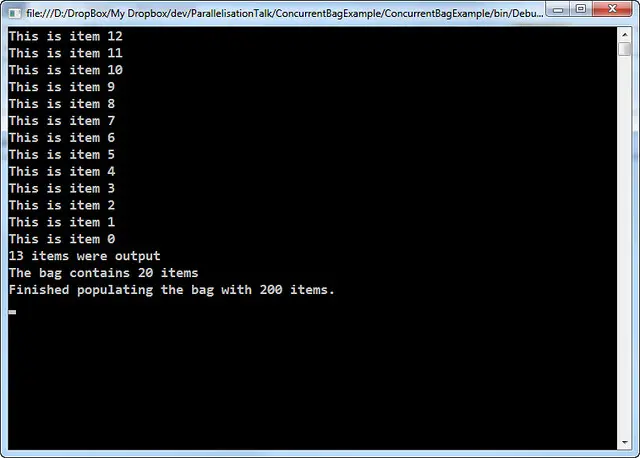
This is item 12
This is item 11
This is item 10
This is item 9
This is item 8
This is item 7
This is item 6
This is item 5
This is item 4
This is item 3
This is item 2
This is item 1
This is item 0
13 items were output
The bag contains 20 items
Finished populating the bag with 200 items.