After a conversation recently about how difficult it was to find stuff in the EDMX diagram because it can often be a right pigs breakfast, I stumbled across this today.
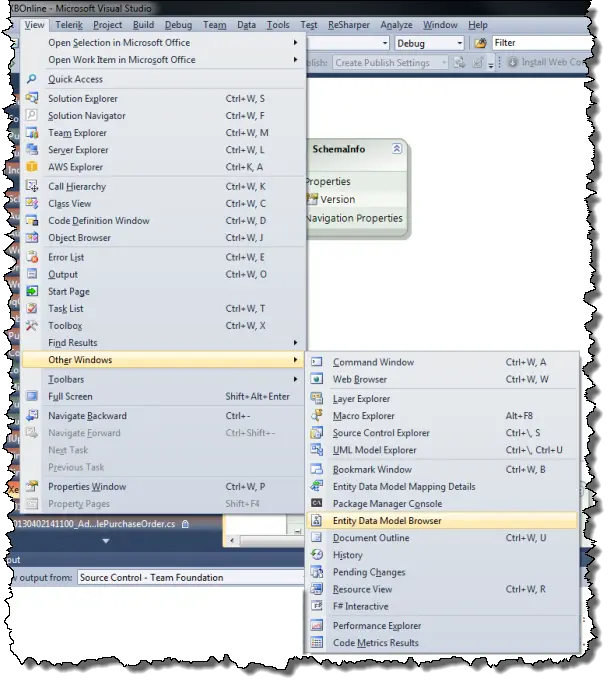
In Visual Studio there is a Model Browser that is available when viewing the diagram. It appears in the same space as the solution explorer. If you don’t see it in the tab list you can add it by going to View—>Other Windows—>Entity Data Model Browser. Like this:
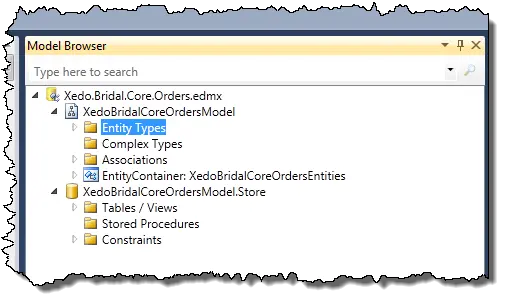
Once there, you can open the tree to get the item you want much more easily that finding in on the diagram. Open entity types to see a list:
Right-click the entity you want to move the diagram to and select “Show in Designer”
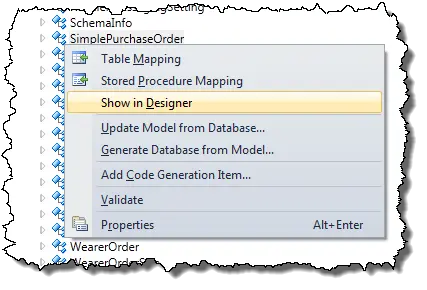
The designer will shift to the location of the table and put it in the centre of the window for you. It will also select the table. It may be a really simple thing, but I wish I’d discovered it sooner.