When you get a log in failure on SQL Server the message you get back from SQL Server Management Studio, or in a .NET Exception is vague for security. They don’t want to give away too much information just in case.
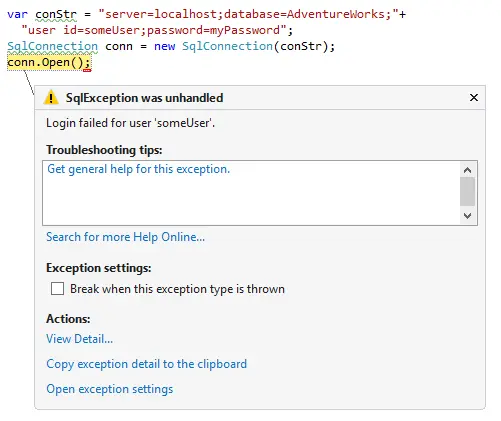
For example, the exception message will be something like “Login failed for user ‘someUser’.” which doesn’t give you much of a clue as to what is actually happening. There could be a multitude of reasons that login failed.
If you want more information about why a log-in failed you can open up the event viewer on the machine that SQL Server is installed on and have a look. You’ll find a more detailed message there.
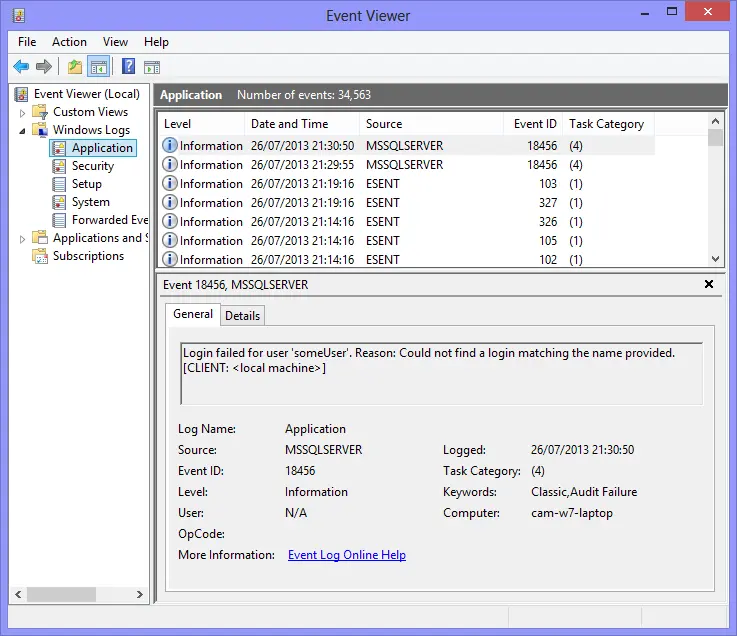
The wider messages may be things like:
- “Login failed for user ‘someUser’. Reason: Could not find a login matching the name provided. [CLIENT: <local machine>]”
- Login failed for user ‘someUser’. Reason: Password did not match that for the login provided. [CLIENT: <local machine>]
- Login failed for user ‘someUser’. Reason: Failed to open the explicitly specified database. [CLIENT: <local machine>] Note: This could be because the database doesn’t exist, or because the user doesn’t have permissions to the database.