Blog LogoBlog Logo

Tip of the day: Default project location in Visual Studio

13 Jul 2015 ~ 1 min read


When rebuilding a machine I always end up hunting this setting down just after installing Visual Studio because I keep forgetting where it is. I never put my projects in my documents directory. Ever.

In Visual Studio go to Tools —> Options… then navigate to “Projects and Solutions” and in the “General” section change the “Projects location” to the one you want.
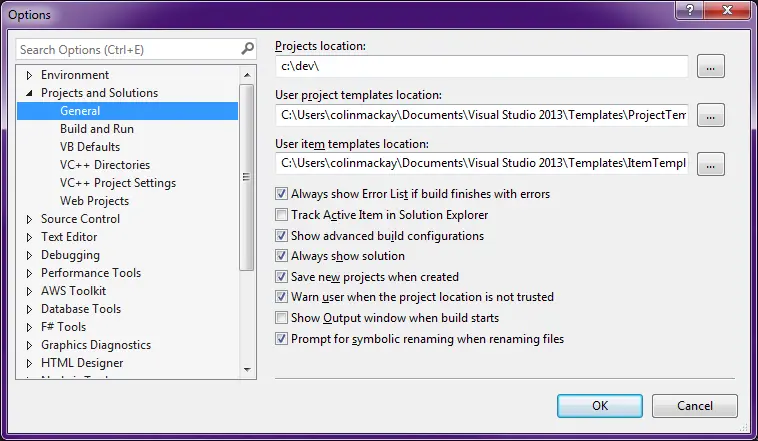

Visual Studio Options dialog


Headshot of Colin Mackay

Hi, I'm Colin. I'm a software engineer with over 30 years of experience based in central Scotland, specialising in Microsoft technologies, initially with C++ and then in C#. I was a Microsoft MVP from 2007 to 2010 and a Code Project MVP from 2005 to 2009.