Have you ever run your app from Visual Studio to have it suddenly stop responding and you can’t immediately see why, only to discover that you’ve hit a breakpoint and didn’t realise because Visual Studio is now running behind the window you’re looking at (or on a monitor you weren’t looking at). Well, as of Visual Studio 17.4 (November 2022 release) you can now assign a sound to hitting a break point so that you get an audio warning when that happens.
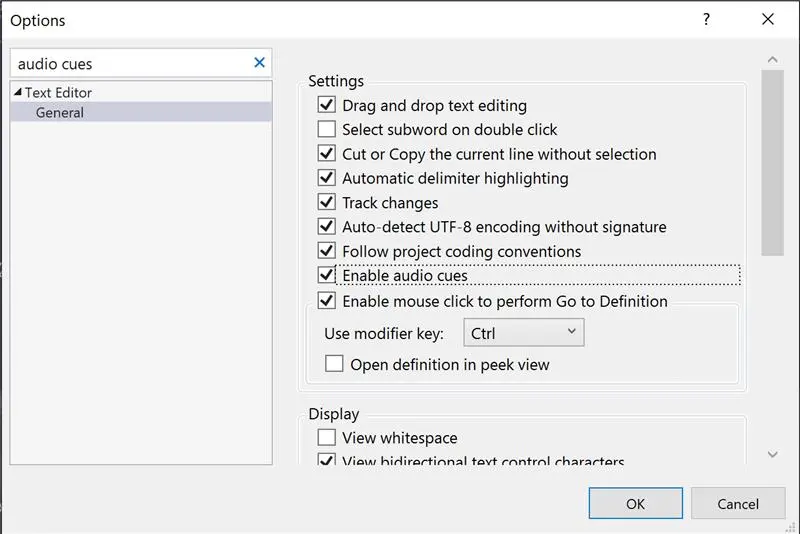
To get this, first go to Tools—>Options, and typing “Audio Cues” into the search, then checking the “Enable Audio Cues” check box.
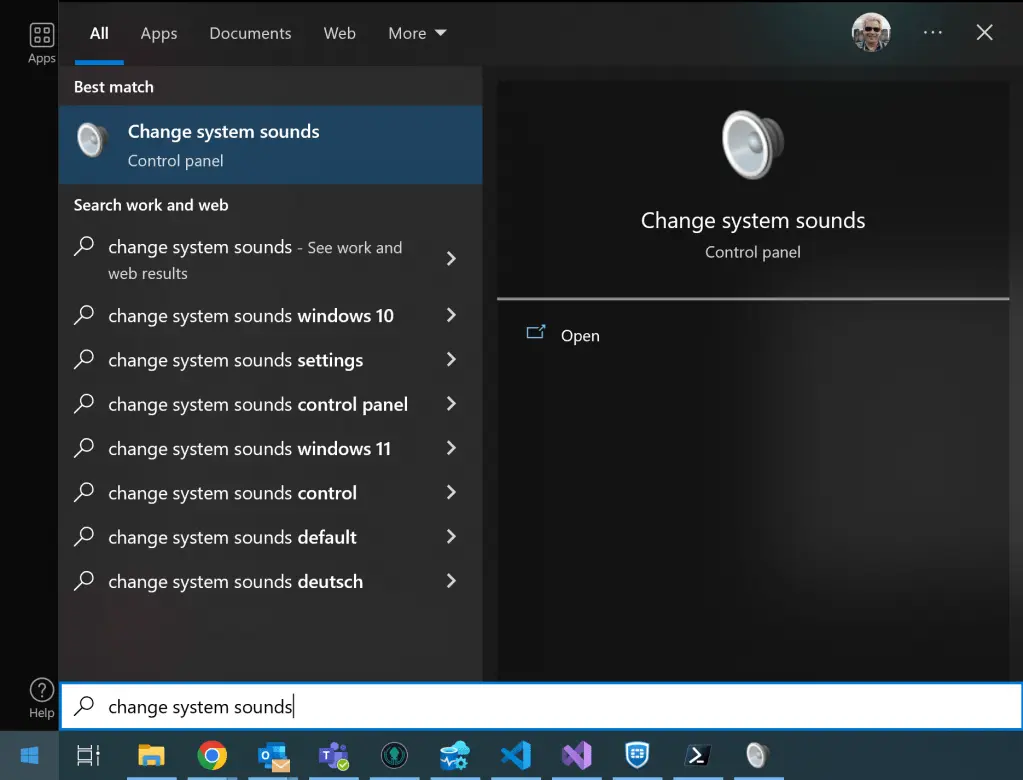
Next you have to open up the system sounds dialog in order to assign a sound to the event. From the Windows Start Menu search for “Change System Sounds”
And then selecting the “Sounds” tab, and scrolling to the “Microsoft Visual Studio” section and selecting “Breakpoint Hit” as the event. You can then assign a sound to the event.
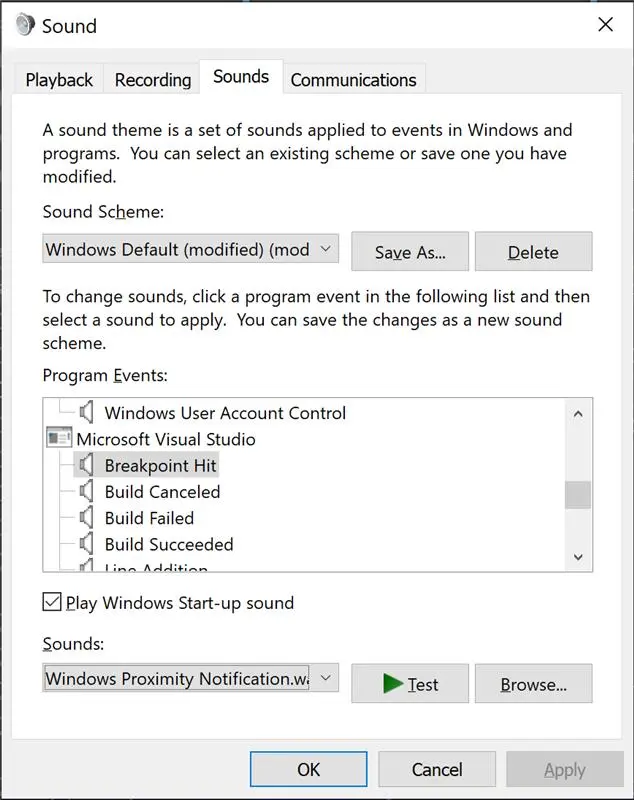
Once you apply this change, you will then get an alert sound when a breakpoint is hit while you are debugging your code.